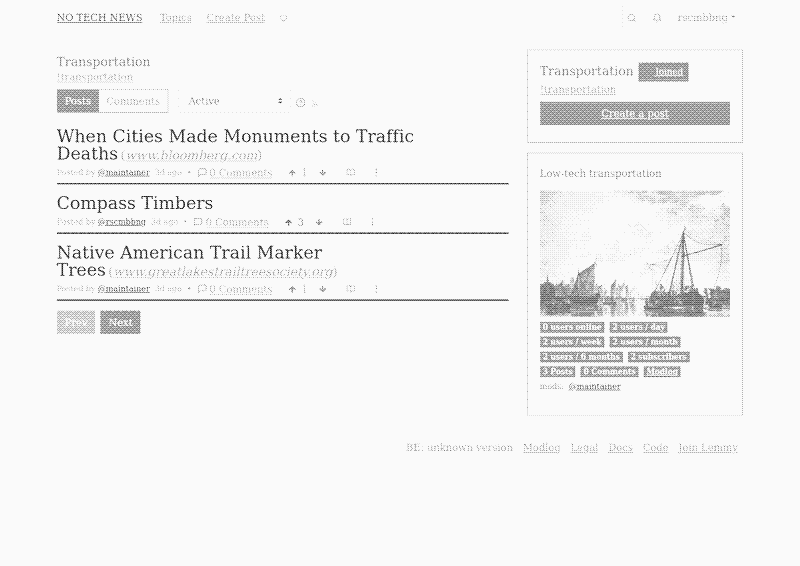
Introduction
No Tech News (NTN) is a so-called link aggregation forum. Members of the forum can post links to relevant sources in a variety of Topics, such as Housing, Transport or Energy Storage. Other members can discuss these links with comments or judge their quality and relevance by voting up or down. The order of posts on the forum, their visibility, is influenced by these votes.
Signing up
To make an account use the Sign-Up button on the top right.
Signing up requires only a username and a password. However, without providing an e-mail you will not be able to recover your password and we will not be able to do it for you.
Only those who have been invited as Editors and Subscribers on Patreon or Liberapay are able to make accounts. To proof you are a Patreon or Liberapay subscriber you can do the following:
- Use the same e-mail address as you use for the subscription service
- In the sign up form there is the possibility to add more information, add the invite code you’ve been sent.
All sign ups need to be manually approved which can take up to a week.
The posts overview
The main posts overview is the view you will use most. It shows and orders all the posts on NTN. This view also allows you to interact with the posts in various ways. The following sections will explain how.

Ordering options
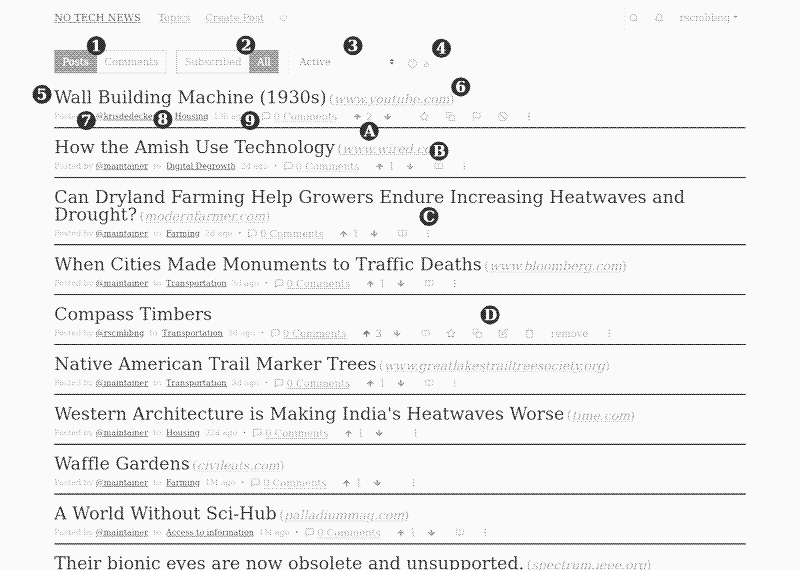
1, 2, 3 are ordering options for the timeline.
1: Allows you to see either posts or comments.
2: Allows you to see just posts from Topics you are subscribed to or all Topics
3: Allows different weighted orderings:
“Active”, ranks posts based on the score, and how recently it has been commented.
“Hot”, ranks posts based on the score, and how new the post is.
“New”, orders in chronological order, newest first.
“Most Comments”, orders the posts with the most comments on top.
“New Comments”, the posts with most recent comments on top, like a forum.
“Top”, the highest scoring items in the given time frame.
4: Gives you the RSS feed for that particular sorting of posts. This allows you to subscribe to NTN from your feed reader.
Posts
5: Is the Post title. Clicking this will bring you to the Discussion view on NTN.
6: Is the Post source. Clicking it will bring you to the URL where the source is hosted.
7: Shows the username of the person who submitted the Post. Clicking on the username will show you a view where you can see other posts by the same person.
8: Is the Topic. Clicking it will give you an overview of other posts in that Topic
9: Show the amounts of comments on the post. Clicking it will bring you to the Discussion view.
A: Are the Vote buttons. Pressing the arrow Up or Down will allow you to assign +1 or -1 point. This influences the ordering on timelines.
B: Is the preview button. Use it to preview the Post content, without leaving the main timeline.
C: Is a menu which expands to show you various option for that post (you need to be logged in to see it)
D: The following post options:
- Star to save a post, this adds it to a list on your profile.
- An option to Cross-Post to another Topic (use sparingly).
- The pen is an option to edit your post.
- The bin is to delete your post.
- The word remove is an option to remove a post (for moderators).
- The flag is an option to report a post to moderators (only appears on other’s posts).
- The forbidden sign is an option to block a user, you won’t see submissions or comments from them anymore.
Topics
Topics are a way of thematically grouping posts on NTN. All posts are submitted to a topic. Topics follow those of Low-Tech Magazine articles.

Topics are managed by one or multiple Editors. These are members of NTN who have been invited based on their expertise to take care of a particular topic. Editors will submit posts but also make sure submitted material fits the Topic, the meets a minimum degree of quality and that post does not infringe on the Content Policy. Editors also help moderate discussions, and respond to Reports.
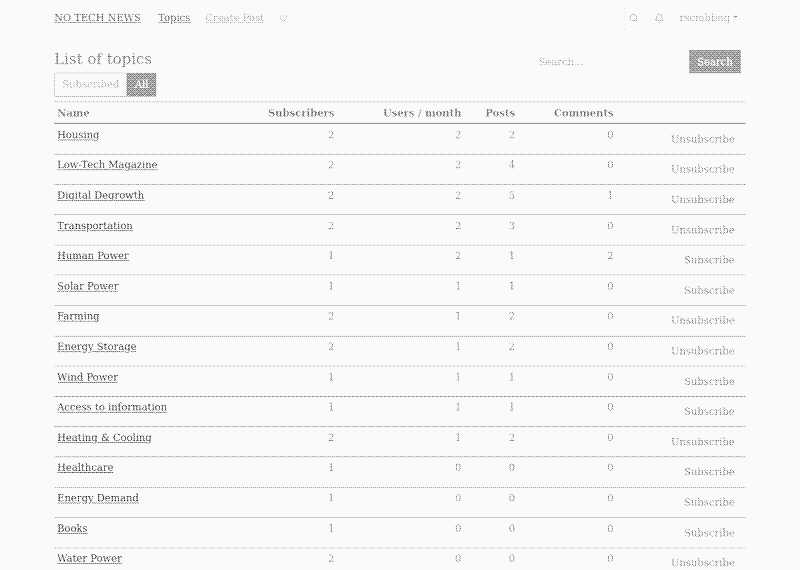
Using the button Topics on the top header will bring you to an overview of all topics on NTN. By default after registering you are not subscribed to any Topic. Use the overview to subscribe to specific topics.